D-Link

D-Link GO-SW-16G/E network switch 16 × 1G, unmanaged, rackmountable

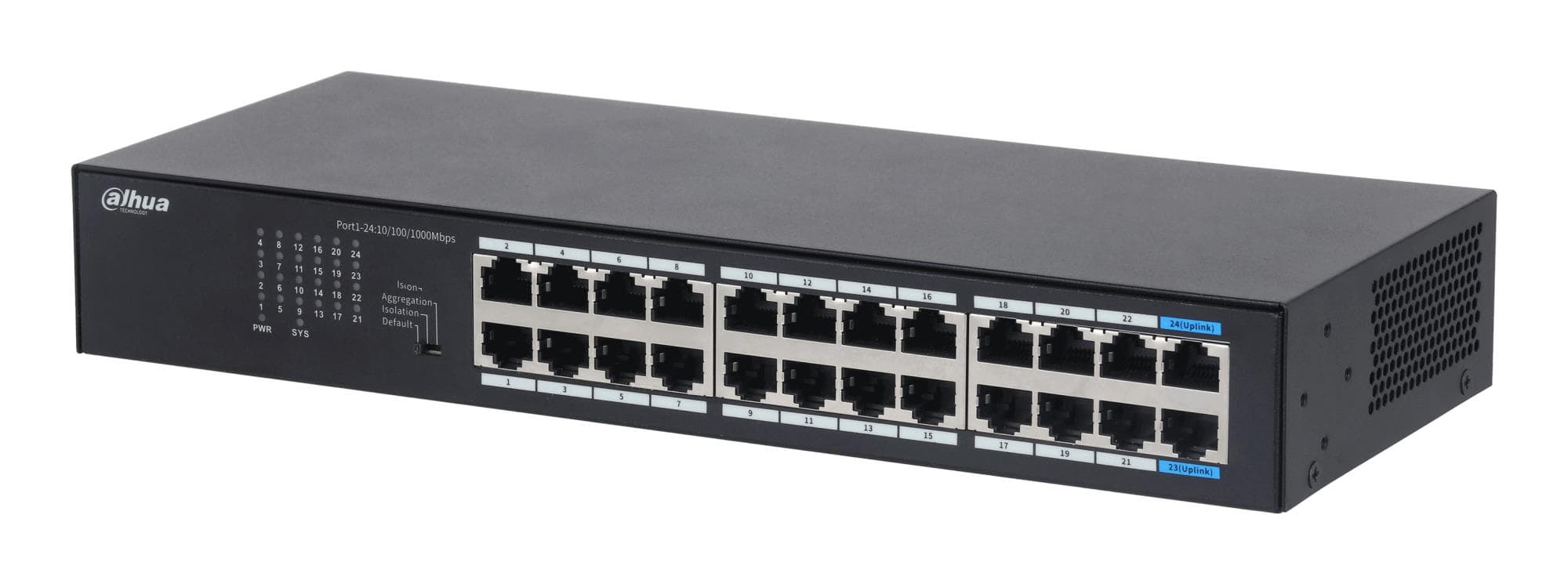
The D-Link GO-SW-16G/E is a 16-port gigabit unmanaged network switch for an office, a classroom or a larger home network. It needs no configuration, and its 44 mm tall housing can sit on a desk or be mounted in a rack.

  • Ports: 16 × RJ-45, 10/100/1000 Mbps
  • Switching capacity: 32 Gbps
  • Management: unmanaged, no setup needed
  • Power: external power adapter 12 V / 1 A
  • Size and weight: 280 × 126 × 44 mm, 0.87 kg
  • Mounting: desktop or rack, no PoE

Description

32 Gbps keeps every port at full speed at once

A switching capacity of 32 Gbps matches 16 gigabit ports in full duplex: each port can send and receive 1000 Mbps at the same time without slowing the others down. That means no bottleneck even when several computers copy files to a NAS simultaneously. The ports also run at 10 and 100 Mbps, so older printers and devices stay on the network as well.
Who this network switch is for

Small offices that need work PCs, printers and a NAS on one network; schools and classrooms with more computers than the router has ports; and home users who have cabled the house and want to bring every room together in one cabinet.

Specifications

General

BrandD-Link
Form factorDesktop/Rackmountable
EAN790069396618

Storage

Switching capacity32 Gbit / s Gbit/s

Ports

Predominant port type10/100/1000 Mbps (RJ-45)
Video port type16 port 10/100/1000

Connectivity

POENo

Keyboard & controls

Switch typeUnmanaged

Battery & power

Power supply12 V / 1 A (external PSU) W

Dimensions & weight

Net weight0.87 kg
Dimensions (WxDxH)280 x 126 x 44 mm mm

Questions & answers

Can the switch be mounted in a rack?

Yes, the manufacturer describes it as a desktop model that is also rackmountable. The housing measures 280 × 126 × 44 mm.

How is the switch powered?

Power comes from an external adapter rated 12 V / 1 A. This model does not supply PoE power to other devices.

Does it need to be configured?

No. It is an unmanaged switch with no web interface or settings: plug in the cables and the network works immediately.