MEDIARANGE

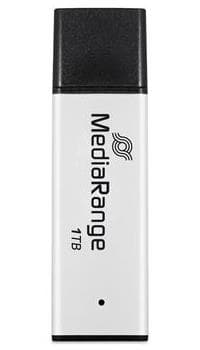
MediaRange MR1905-1 USB flash drive 1 TB USB 3.2 Gen 1, 400 MB/s

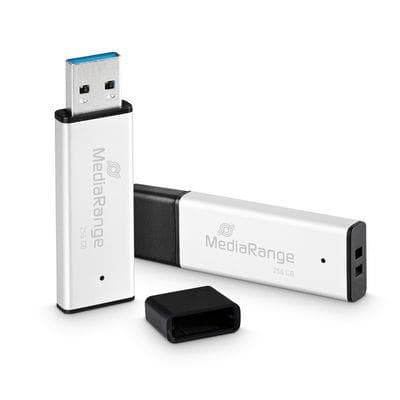
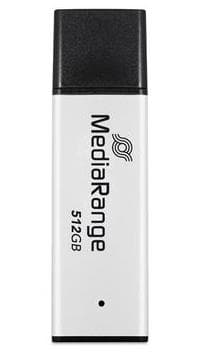
The MediaRange MR1905-1 is a 1 TB USB flash drive in an aluminium housing with a USB-A plug. Its USB 3.2 Gen 1 interface reads at up to 400 MB/s and writes at up to 300 MB/s, so even large video files copy without a long wait.

  • Capacity: 1 TB
  • Interface: USB-A, USB 3.2 Gen 1, compatible with USB 2.0
  • Speed: read up to 400 MB/s, write up to 300 MB/s
  • Housing: aluminium with protective cap, black and silver
  • Dimensions and weight: 59 × 12 × 7 mm, 15 g

Description

A terabyte in your pocket, with the speed to use it

A high-capacity stick loses its point if copying takes hours. The MR1905-1 writes at up to 300 MB/s, a high figure for a flash drive, so moving tens of gigabytes of footage or a photo archive does not mean a long wait. The aluminium housing is sturdy, and the cap shields the USB plug from dust and physical damage. At only 12 mm wide, the drive leaves more room for the neighbouring port.
Who this USB flash drive is for

Photographers and videographers moving raw files from one computer to another; offices where large files cannot or should not travel through the cloud; and anyone who wants a simple pocket-sized copy of their photos, music and documents. The manufacturer also highlights long data retention for archiving.

Specifications

General

BrandMEDIARANGE
Form factorCap
Product colourBlack, Silver
Housing materialAluminium
Device interfaceUSB Type-A
EAN4260664879725

Storage

Capacity1000

Ports

USB version3.2 Gen 1 (3.1 Gen 1)

Performance & capacities

Read speed400
Write speed300

Features

Package typeBlister

Dimensions & weight

Width12 mm
Depth59 mm
Height7 mm
Weight15 g

Questions & answers

Does it work in a USB 2.0 port?

Yes, the manufacturer states it is also compatible with USB 2.0, but the older port will limit the speed. Plug it into a USB 3.x port for full speed.

Why does my computer show less than 1 TB?

The manufacturer counts 1 TB as 1000 GB in decimal, while the operating system counts in binary. The computer therefore displays a slightly smaller number, even though the drive holds exactly the stated amount of data.

Does it have encryption or password protection?

The manufacturer does not specify this. For sensitive data you can use the operating system's own encryption tools.