Dell

Dell Pro Slim QCS1250 desktop Core Ultra 7 265 16/512 GB Ubuntu

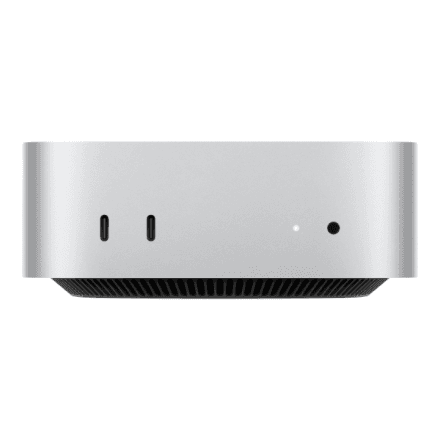
The Dell Pro Slim QCS1250 is a slim-chassis desktop computer that takes up less room on or under the desk than a standard tower while delivering the performance of a full work machine. Inside are a 20-core Intel Core Ultra 7 265, 16 GB of DDR5 memory and a 512 GB SSD, the graphics are integrated in the processor, and it runs Ubuntu Linux.

  • Processor: Intel Core Ultra 7 265, 20 cores
  • Memory and storage: 16 GB DDR5 5600 MHz (1 × 16 GB) + 512 GB SSD
  • Graphics: Intel integrated graphics
  • System: Ubuntu
  • Chassis: Slim, black
  • In the box: no keyboard or mouse

Description

A Slim chassis that stays in the background

Slim is Dell's thin desktop chassis, sitting between the small Micro and a classic tower. The narrow black case fits on the desk beside the monitor or under the desk in a tight corner without getting in the way of your legs. The workspace stays tidy and is easier to clean, especially in an open-plan office with rows of identical desks. The manufacturer does not specify exact dimensions or weight.

Twenty cores for sustained workloads

The Intel Core Ultra 7 265 is a 20-core processor from the upper tier of the Core Ultra series. Its hybrid architecture splits work between performance and efficiency cores, and the high core count pays off where the load is sustained: compiling code, containers and virtual machines, large data sets and several heavy applications at once. For ordinary office work there is plenty of performance in reserve.

DDR5 memory and a 512 GB SSD

The 16 GB of DDR5 memory at 5600 MHz is fitted as a single module (1 × 16 GB). That is a sensible amount for office work, web applications and running several programs at once. The 512 GB SSD boots the system and launches programs in seconds and leaves room for plenty of documents, presentations and photos, so not everything has to move straight to a network drive or the cloud.

Integrated graphics for office work

Graphics are handled by Intel integrated graphics built into the processor. There is no separate graphics card, which means lower power draw and less heat inside the case. Office, a web browser, video calls, video playback and light photo editing all run smoothly. For 3D modelling, rendering and demanding games, a computer with a dedicated graphics card is the right tool.

Ubuntu: Linux out of the box

The computer runs Ubuntu, a widely used free Linux distribution. It suits developers, system administrators and organisations that work in a Linux environment or deploy their own system image to every machine. A Windows licence is not included: if you need Windows, the licence has to be obtained and the system installed separately. Software is installed and updated through the package manager, as is usual on Linux.

Who this desktop computer is for

Developers who compile code and run containers or virtual machines; system administrators and DevOps engineers working in Linux; data analysts whose spreadsheets and scripts need cores; and organisations that deploy their own Linux image and want a powerful yet compact desktop to run it on.

Specifications

General

BrandDell
TypeDesktop
Colour of productBlack
Chassis typeSlim
EAN2000001431900

Processor

Processor familyIntel Core Ultra 7
Processor model265
Processor cores20

Memory

Internal memory16 GB
Internal memory typeDDR5
Memory layout (slots x size)1x16 GB
Memory clock speed5600 MHz

Storage

Solid-state drive capacity512 GB
Storage mediaSSD

Graphics

On-board graphics adapter modelIntel Integrated Graphics

Software & security

Operating system installedUbuntu

Keyboard & controls

Keyboard languageNo keyboard

Dimensions & weight

Net weight3.70 kg

Questions & answers

Are a keyboard and mouse included?

No. The computer comes without a keyboard and mouse, so you can use the ones you already have or pick a set separately.

Does it have Wi-Fi and Bluetooth?

The manufacturer does not specify Wi-Fi or Bluetooth. If wireless connectivity matters, check Dell's specification first.

How many monitors can I connect?

The manufacturer does not specify the number or type of video outputs. Before connecting several monitors, check the ports in Dell's official specification.

Can the memory be upgraded later?

The memory is fitted as a single 16 GB module. The manufacturer does not specify the number of free slots or the maximum capacity; these are listed in the Dell service manual.

Can I install Windows myself?

Yes, Windows can be installed, but the licence has to be obtained separately. Drivers for the model are on Dell's support site.

Reviews

No reviews yet

Bought this product? Be the first to share your experience.

Write a review

Only verified buyers can leave reviews.