Black Friday is on — deals until 30 NovemberSee the deals
Benq

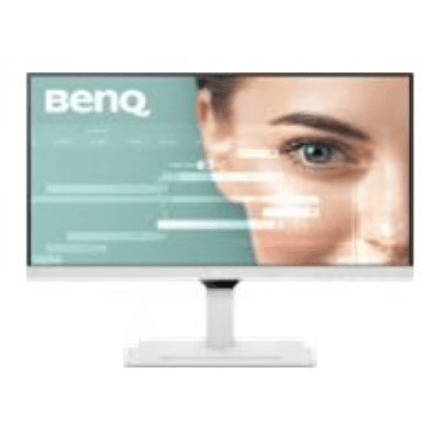
BenQ GW2790QT monitor 27" QHD IPS 75 Hz USB-C 65 W

The BenQ GW2790QT is a 27-inch IPS monitor for the office and home office whose USB-C port carries both the picture and up to 65 W of power to a laptop over a single cable. QHD resolution of 2560 × 1440 gives more workspace and sharper text than standard Full HD. A white housing, built-in speakers and a fully adjustable stand help keep the desk tidy.

  • Display: 27″, 2560 × 1440 (QHD), 16:9 aspect ratio
  • Panel: IPS, 75 Hz, 5 ms, 178°/178° viewing angles
  • Brightness: 350 cd/m², anti-glare surface
  • Ports: USB-C (up to 65 W power), 1 × HDMI, 1 × DisplayPort
  • Adjustments: height, tilt, swivel, pivot to portrait
  • Ergonomics: built-in speakers, white housing

Description

One USB-C cable for your laptop

The USB-C port takes the video signal from a laptop and at the same time sends up to 65 W of power back to it. When you sit down at the desk you plug in one cable, the laptop starts charging and the picture appears on the big screen, with no separate charger needed. 65 W is enough for most thin office laptops and ultrabooks; more powerful gaming models and workstations may still need their own power adapter.

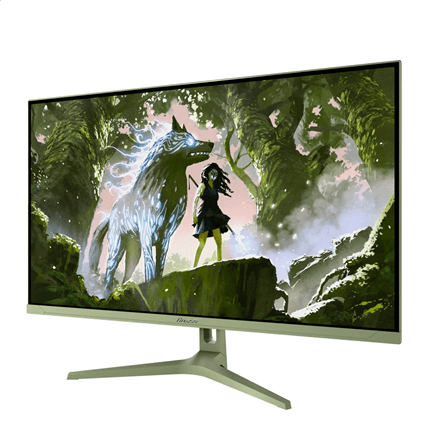
QHD: more room than Full HD

A resolution of 2560 × 1440 puts considerably more pixels on screen than Full HD. Spreadsheets show more rows and columns, two documents sit comfortably side by side and text looks noticeably sharper on a 27-inch screen. The 16:9 aspect ratio suits office work as well as watching videos and video calls, where the picture fills the screen without black bars.

An IPS panel with even colours

The IPS panel keeps colours and contrast consistent even when viewed from an angle, with 178° viewing angles horizontally and vertically. That helps when you show something to a colleague or work with photos and presentations. Brightness of 350 cd/m² and an anti-glare surface suit a bright office well. The 75 Hz refresh rate is slightly smoother than a standard 60 Hz monitor.

A stand that helps you sit properly

Over a long working day, monitor position matters for your health. The stand adjusts for height and tilt and swivels left and right, so the top edge of the screen can sit at eye level and your neck does not have to bend. The screen also rotates into portrait orientation, which is handy for long documents, contracts, code or web pages.

Speakers and a tidy white desk

The built-in speakers cover video calls, training videos and system sounds, so you do not need separate speakers on the desk. The white housing suits a bright office or home study, and together with a single USB-C cable it keeps the desk neat and free of clutter. Besides USB-C, the monitor has HDMI and DisplayPort for a second computer.

Who this monitor is for

Office workers and home office users who plug in a laptop every day and want picture and charging over one cable; accountants and analysts who gain room in spreadsheets from QHD; and anyone looking for a white monitor for a bright room, with a fully adjustable stand and speakers included.

Specifications

General

BrandBenq
Colour of productWhite
Height adjustmentYes
Tilt adjustmentYes
PivotYes
SwivellingYes
Viewing angle, horizontal178 °
Viewing angle, vertical178 °
EAN4718755089503

Display

Display diagonal27 "
Display2560 x 1440 pixels
HD typeQuad HD
Panel typeIPS
Maximum refresh rate75 Hz
Response time5 ms
Display brightness350 cd/m²
Display surfaceAnti-Glare
Aspect ratio16:9
TV tuner integratedNo

Audio

Built-in speaker(s)Yes

Ports

Ethernet LAN (RJ-45) portsNo
HDMI ports quantity1
DisplayPorts quantity1
USB-CYes
USB-C power delivery65W

Dimensions & weight

Net weight8.40 kg

Questions & answers

Does the monitor charge a laptop over USB-C?

Yes, the USB-C port delivers up to 65 W. The laptop must support video output and charging over USB-C (DisplayPort Alt Mode and USB PD).

Can I connect two computers?

Yes, besides USB-C there are HDMI and DisplayPort inputs, so a laptop and a desktop can stay connected at the same time and you switch inputs in the monitor menu. The manufacturer does not specify a KVM switch.

Can the monitor be mounted on an arm?

The manufacturer does not specify the VESA mount size in this data. Before choosing an arm, check it in the official BenQ specification.

Does the monitor have speakers?

Yes, the monitor has built-in speakers that are fine for video calls and everyday use.