Lenovo

Lenovo ThinkVision P49w-30 monitor 49" 5120x1440 IPS 32:9 Thunderbolt 4

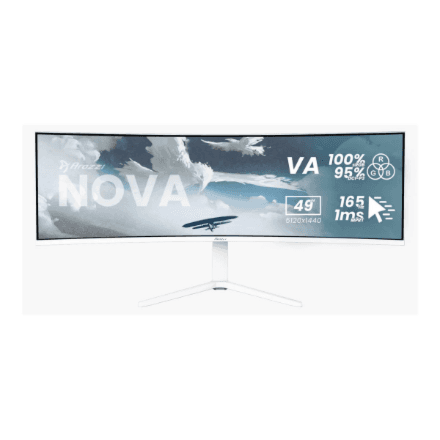
The Lenovo ThinkVision P49w-30 is a 49-inch business monitor with a 32:9 aspect ratio and 5120 × 1440 resolution, giving you the working area of two side-by-side screens in a single panel. The IPS panel keeps colours consistent, while Thunderbolt 4 in and out, Ethernet and a USB hub turn the monitor into a workstation for your laptop. Height is adjustable.

  • Display: 49″ IPS, 5120 × 1440, 32:9
  • Panel and speed: 60 Hz, 4 ms, 178° viewing angles
  • Brightness: 350 cd/m², 2000:1 contrast
  • Ports: Thunderbolt 4 in and out, 2 × HDMI, DisplayPort 1.4, RJ-45, USB-C, USB-B, 4 × USB 3.2 Gen 1
  • Adjustment: height, tilt and swivel, no pivot
  • Ergonomics: VESA 100 × 100 and 200 × 100, built-in speakers, black chassis

Description

One wide screen instead of two monitors

5120 × 1440 pixels at 32:9 is the same working area as two QHD monitors side by side, only without a bezel in the middle. Spreadsheets, a development environment, email and a video call all fit at once, and windows can be arranged however the task at hand requires. The 49-inch diagonal means even small text remains readable without zooming in.
An IPS panel that shows colours accurately

IPS technology provides 178° viewing angles both horizontally and vertically, so the wide screen does not shift in tone or brightness at the edges when you look at it from an angle. Brightness of 350 cd/m² is enough for a well-lit office, and 2000:1 contrast is high for an IPS panel. The 60 Hz refresh rate and 4 ms response time are designed for office work, scrolling and video calls rather than fast games.

Thunderbolt 4 in and out

With the Thunderbolt 4 input, a laptop connects to the monitor over a single cable that carries video and USB data. The Thunderbolt 4 output lets you attach the next Thunderbolt device, such as a second monitor or a fast external drive. The manufacturer does not specify laptop charging power over USB-C or Thunderbolt, so it is wise to keep your charger at hand.

Ports that stand in for a dock

Besides Thunderbolt, the monitor has two HDMI ports, DisplayPort 1.4, USB-C 3.2 Gen 1 and USB-B 3.2 Gen 1 upstream ports, and four USB 3.2 Gen 1 ports for a mouse, keyboard, webcam and flash drive. The RJ-45 port gives your laptop wired networking, which thin models usually lack. All peripherals stay connected to the monitor, and one cable is all you need when you sit down at the desk.

Ergonomics for a long working day

The stand adjusts for height, tilt and swivel, so the top edge of the screen can sit at eye level. There is no pivot into portrait mode on this model, which is to be expected for a 32:9 screen. The monitor can also go on an arm or a wall, with support for VESA 100 × 100 and 200 × 100 mounts. The built-in speakers are fine for video calls and system sounds.

Who this monitor is for

Financial analysts, accountants and project managers who work with several spreadsheets and applications at once; developers who want code, documentation and a terminal side by side; and companies where laptops dock at the desk via Thunderbolt and wired networking is a requirement. For gaming or fast video editing 60 Hz is limiting, but for the office it is plenty.

Specifications

General

BrandLenovo
Colour of productBlack
Height adjustmentYes
Tilt adjustmentYes
VESA mountingYes
PivotNo
SwivellingYes
VESA mounting interfaces100 x 100; 200 x 100 mm
Viewing angle, horizontal178 °
Viewing angle, vertical178 °
EAN196802362085

Display

Display diagonal49 "
Display5120 x 1440
Panel typeIPS
Maximum refresh rate60 Hz
Response time4 ms
Display brightness350 cd/m²
TouchscreenNo
Aspect ratio32:9
TV tuner integratedNo
Contrast ratio (typical)2000:1

Audio

Built-in speaker(s)Yes

Ports

Ethernet LAN (RJ-45) portsYes
HDMI ports quantity2
DisplayPorts quantity1xDP1.4
USB-CYes
Thunderbolt ports quantity1x Thunderbolt 4 Out, 1x Thunderbolt 4 In
USB ports quantity4x USB 3.2 Gen 1, 1x USB-C 3.2 Gen 1, 1x USB-B 3.2 Gen 1

Battery & power

Energy efficiency classG

Dimensions & weight

Net weight15.77 kg

Questions & answers

Does the monitor charge a laptop?

The monitor has Thunderbolt 4 and USB-C inputs, but the manufacturer does not specify the charging power. If your laptop needs a particular wattage, check it in Lenovo's technical specifications.

Can I connect two laptops?

Yes, there are several inputs: Thunderbolt 4, USB-C, two HDMI and DisplayPort. The manufacturer does not specify whether there is a KVM switch or simultaneous display of two sources.

Does the monitor have a VESA mount?

Yes, VESA 100 × 100 and 200 × 100 are supported. For a screen this large, choose an arm designed for 49-inch monitors.

Is the monitor suitable for gaming?

The refresh rate is 60 Hz, which is fine for slower-paced games. Fast competitive games call for gaming monitors with a higher refresh rate.