Black Friday is on — deals until 30 NovemberSee the deals
TP-LINK

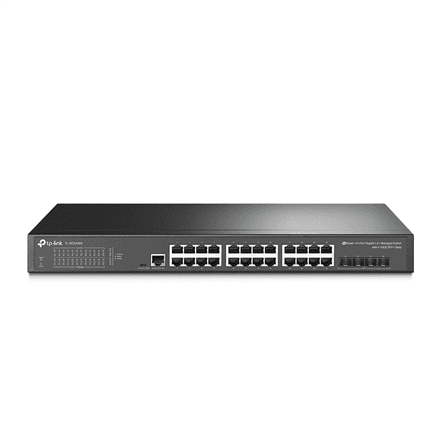
TP-Link SG3428X managed L2+ network switch 24 × 1G, 4 × SFP+

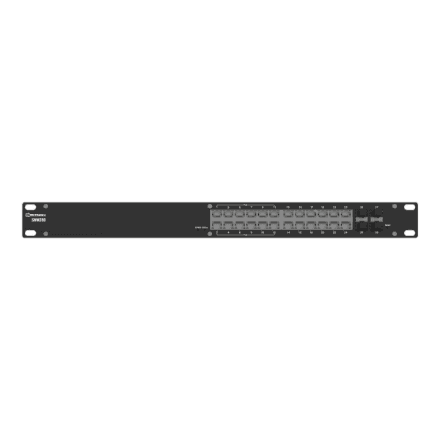
The TP-Link SG3428X is a managed L2+ network switch for offices and small server rooms: 24 gigabit RJ-45 ports connect computers, printers and access points, while four SFP+ slots provide a fast link to a server, a storage device or the next switch. The steel chassis mounts in a rack.

  • Ports: 24 × 10/100/1000 Mbit/s RJ-45
  • SFP+ slots: 4
  • PoE: no
  • Management: managed, L2+
  • Mounting: rackmountable
  • Chassis and weight: steel case, 2.29 kg

Description

24 gigabit ports for the whole office

All 24 RJ-45 ports run at 10, 100 or 1000 Mbit/s and negotiate the speed with the connected device on their own, so an older printer and a new workstation can share the same switch. Twenty-four ports cover a typical small office or floor: desks, network printers and access points all get a wired connection without extra switches hidden under the tables.
SFP+ slots for a fast backbone

The four SFP+ slots are meant for 10-gigabit links that a copper gigabit port cannot offer. They connect a server, a NAS, a core switch or another floor, so the traffic of the whole office is not squeezed through a single gigabit. Each SFP+ slot takes a matching transceiver module or a direct attach cable (DAC), chosen by distance and cable type. For short runs inside the same cabinet a DAC cable is usually the simplest option.

L2+ management – VLANs and order in the network

A managed switch lets you split the network into virtual segments (VLANs), prioritise traffic and monitor the state of each port, none of which an unmanaged switch can do. L2+ means that on top of layer-2 functions it offers some layer-3 features, such as static routing between VLANs. The complete feature list is on the TP-Link datasheet.

No PoE – a clean data switch

The SG3428X does not deliver power over its ports (PoE), so it will not power access points, IP phones or cameras through the network cable. That is a sensible choice where devices have their own power or where PoE devices already sit behind a separate switch. If you need power, the TP-Link PoE+ model TL-SG3428XMP also has 24 gigabit ports and 4 SFP+ slots.

A steel chassis for the server cabinet

The switch has a steel case and is rackmountable, so it fits into a server or network cabinet next to other networking gear. At 2.29 kg it is sturdy but not heavy, and one person can fix it in the cabinet without help. A metal case protects the electronics better than a plastic shell, which matters in a cabinet where several devices run around the clock.

Who this network switch is for

Small and mid-sized businesses building an office network with VLANs and a fast backbone; IT technicians who need a 10-gigabit link for a server or NAS without a more expensive core switch; and schools or office floors where 24 workstations have to be gathered into one rack. If your devices need power over the network cable, choose the PoE+ model instead.

Specifications

General

BrandTP-LINK
Case designSteel case
Form factorRackmountable
EAN1210002611596

Ports

Ethernet LAN (RJ-45) ports24
Predominant port type10/100/1000 Mbps (RJ-45)
SFP+ ports quantity4

Connectivity

POENo

Keyboard & controls

Switch typeManaged L2+

Battery & power

Power supply typeExternal

Dimensions & weight

Net weight2.29 kg

Questions & answers

What is the difference between a managed and an unmanaged switch?

An unmanaged switch simply connects devices and has no settings. The SG3428X is a managed L2+ switch: you can create VLANs, separate a guest network from the office network, for example, and monitor how each port is doing.

Does the switch support PoE?

No. The SG3428X does not supply power over the network cable. The PoE+ model with the same port count is the TL-SG3428XMP.

Can the switch be mounted in a rack?

Yes, the switch is rackmountable and suits a server or network cabinet.

Are SFP+ modules included?

The manufacturer does not specify this. An SFP+ slot needs a matching module or DAC cable, so check the package contents on the TP-Link datasheet.