Benq

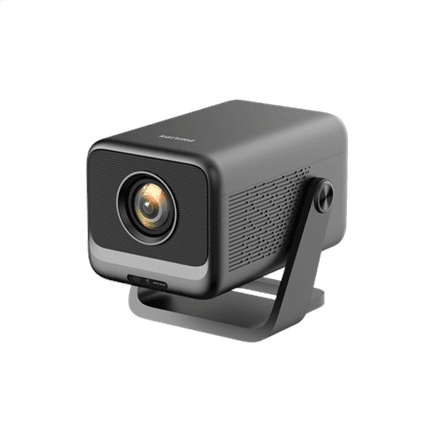
BenQ GP520 projector 4K UHD, 2600 ANSI lumens, Wi-Fi, black

The BenQ GP520 is a 4K UHD projector rated at 2600 ANSI lumens, with built-in Wi-Fi. Two HDMI ports and a stated contrast ratio of 200,000:1 let you put films, series and console games on the wall at a size well beyond what a TV screen in the same room can offer.

  • Type: projector, black housing
  • Resolution: 4K UHD (3840 × 2160), listed by the supplier as maximum resolution
  • Brightness: 2600 ANSI lumens
  • Contrast ratio: 200,000:1
  • Aspect ratio: 16:9
  • Connectivity: 2 × HDMI, built-in Wi-Fi 802.11 a/b/g/n/ac/ax

Description

4K UHD resolution that keeps a big picture sharp

3840 × 2160 pixels is four times the pixel count of Full HD. On a projector that matters more than on a TV, because the image is often stretched to several metres wide and at lower resolutions the pixel grid becomes visible up close. 4K UHD content, such as films from streaming services or console games, can be sent to the projector without scaling the resolution down. The 16:9 aspect ratio matches the usual format of films, series and games, so no empty bars are left at the edges.

2600 ANSI lumens for an evening home cinema

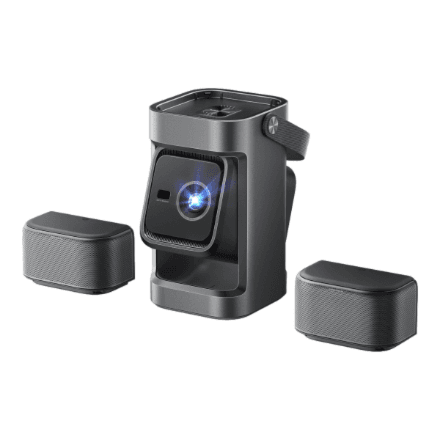
Brightness is given in ANSI lumens. This is a standard method: light is measured at several points of the image and averaged, which makes the figure more comparable than the LED lumens common in advertising. 2600 ANSI lumens works best in a dimmed or darkened room, where colours and shadows keep their depth. In a bright room or in direct sunlight any projector image looks washed out, so drawing the curtains for a film night is worth it.

200,000:1 contrast for dark scenes

Contrast ratio tells you how much brighter the whitest part of the image is than the darkest. The stated 200,000:1 means night shots and dark film scenes do not turn into a grey veil, and detail in the shadows stays easier to see. Real-world contrast also depends on the room: light walls and ceilings reflect light back onto the image and lift the blacks, while a darker room brings out more of what the projector can do.

Wi-Fi 6 and two HDMI ports for your sources

The built-in Wi-Fi supports 802.11 a/b/g/n/ac/ax, where ax stands for Wi-Fi 6, so the projector joins your home network without an extra device. Two HDMI ports let you keep, for example, a games console and a media player or laptop connected at the same time, without swapping cables when you change source. Which apps are available over the network is not specified by the manufacturer.

Who this projector is for

The BenQ GP520 suits people who want a 4K UHD picture larger than a TV in the living room or a dedicated cinema room, and who watch mostly in the evening or in a darkened space. Built-in Wi-Fi and two HDMI ports make it convenient for both streaming and console gaming. The black housing blends into darker interiors and does not stand out on a shelf.

Specifications

General

BrandBenq
Colour of productBlack
EAN4718755094699

Display

Brightness2600 ANSI lumens
Aspect ratio16:9
Contrast ratio200000:1
Maximum resolution4K UHD (3840 x 2160)

Ports

HDMI ports quantity2

Connectivity

Wi-FiYes
Wi-Fi standards802.11 a/b/g/n/ac/ax
Wi-Fi connectionYes (integrated)

Dimensions & weight

Net weight3.70 kg

Questions & answers

Does the BenQ GP520 show a native 4K image?

The supplier lists 4K UHD (3840 × 2160) as the maximum resolution. Whether the image is formed by a native 4K chip or by pixel-shifting technology, the manufacturer does not specify. A 4K UHD signal can be sent to the projector either way.

Can I use the projector in a bright room?

Brightness is 2600 ANSI lumens. That gives a clear picture in a dimmed or darkened room; in daylight or under strong ceiling lights the image looks paler and contrast drops. You get the most out of it in the evening or in a room with curtains.

Can I connect a games console and a media player at the same time?

Yes. The projector has two HDMI ports, so two sources can stay connected permanently and you do not need to swap cables. It also has built-in Wi-Fi with 802.11ax support.

Do I need a separate projector screen?

Not necessarily. You can project onto a smooth white wall, but a projector screen reflects light more evenly, gives better contrast and hides unevenness in the wall. Fine detail in a 4K UHD picture also shows better on a screen.

Reviews

No reviews yet

Bought this product? Be the first to share your experience.

Write a review

Only verified buyers can leave reviews.