Epson

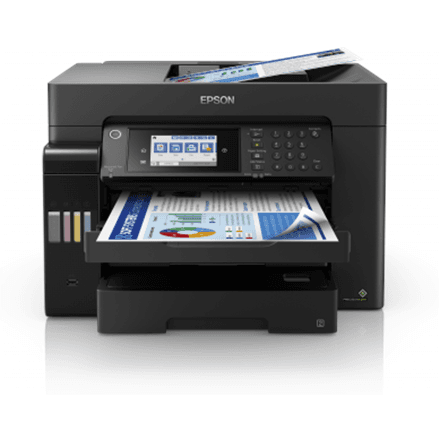
Epson EcoTank L6570 all-in-one printer A4, colour, fax, 3 trays, Black

The Epson EcoTank L6570 is a colour A4 all-in-one printer for busy offices that prints, scans, copies and faxes. This inkjet runs at 25 ipm in both mono and colour, comes with three paper trays as standard, and joins the network over Ethernet or Wi-Fi.

  • Technology: colour inkjet
  • Functions: print, scan, copy, fax
  • Speed: 25 ipm mono and 25 ipm colour (ISO/IEC 24734)
  • Paper size and duplex: up to A4, two-sided printing
  • Connectivity: USB, Ethernet, Wi-Fi, Wi-Fi Direct
  • Paper: 3 standard paper trays, 125-sheet output tray
  • Resolution: print up to 4800 × 1200 dpi, scanning 1200 × 2400 dpi

Description

Three trays for different paper

The L6570 comes with three paper trays as standard. That means you can load, for example, plain A4, letterhead and heavier paper at the same time, without emptying and refilling a tray for every job. The larger paper supply also means fewer interruptions when several people print one after another during the day. The output tray holds 125 sheets.

As fast in colour as in mono

Print speed under ISO/IEC 24734 is 25 ipm in both mono and colour. The standard measures it with ordinary office documents, so the figure describes real work. Colour reports, charts and presentations come out as quickly as text documents, so no queue builds up at the printer even when the whole team prints in colour.

Two-sided printing and sharp results

The printer prints on both sides of the sheet, which cuts paper use and makes long documents thinner. Print resolution reaches 4800 × 1200 dpi, so text is sharp and fine detail in charts is easy to make out. A scanning resolution of 1200 × 2400 dpi keeps scanned and copied documents clearly legible as well.

Fax, scanner and copier in one

Colour scanning and copying handle everyday paperwork, and fax is there for anyone whose partners or authorities still use it. All four functions live in one device, so the office does not need a separate fax machine or scanner. A scanned document can be saved to a computer and sent on by email, while a paper copy is made right at the device. The black housing looks at home in an office.

Network connection for several users

Ethernet puts the printer on the office LAN, and Wi-Fi lets people print to it without a cable. Wi-Fi Direct lets a phone or tablet connect straight to the printer even when there is no router, and USB handles a direct link to a single computer. That way the whole team can share the device, and the printer can sit wherever there is room rather than next to a particular computer.

Who this all-in-one printer is for

Offices that print a lot in both mono and colour every day; teams that use several paper types and do not want to keep swapping tray contents; and companies where fax, scanner and copier need to live in one shared A4 network device that keeps up with several users.

Specifications

General

BrandEpson
Product typeInkjet Multifunctional Printer
Colour of productBlack
CopyingYes
Duplex functionsYes
FaxingYes
FunctionsPrint, Scan, Copy, Fax
InterfaceUSB, Ethernet, Wireless LAN, Wi-Fi direct connection
Maximum print sizeA4
Number of standard paper trays3
PrintingColour
ScanningColour
Wooden1413.00 g
EAN8715946676432

Display

Maximum resolution4800x1200 DPI
Maximum scan resolution1200x2400 DPI

Storage

Standard output capacity125 sheets

Ports

Ethernet LANYes

Connectivity

Wi-FiYes

Performance & capacities

Print speed (ISO/IEC 24734) colour25 ipm
Print speed (ISO/IEC 24734) mono25 ipm

Features

Print technologyInkjet

Dimensions & weight

Net weight17.8 kg

Questions & answers

How many paper trays does it have?

According to the manufacturer, the L6570 has three paper trays as standard. The output tray holds 125 sheets.
Does it print on both sides of the paper?

Yes, according to the manufacturer the L6570 supports two-sided printing.

Is colour printing slower?

No. Under ISO/IEC 24734 the speed is 25 ipm in both mono and colour.

Does the printer print A3?

No, the maximum print size is A4.