Epson

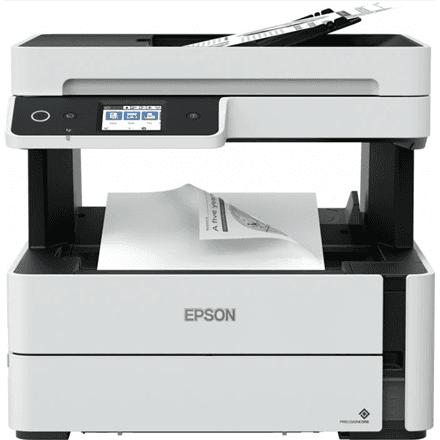
Epson EcoTank M15140 all-in-one printer, mono inkjet, A3+, Wi-Fi

The Epson EcoTank M15140 is a mono ink tank all-in-one printer for offices that print a lot and occasionally in a large format. It prints on sheets up to A3+ at 25 ipm, scans in colour and copies, connects over Ethernet, Wi-Fi and USB, and supports two-sided printing.

  • Technology: inkjet with EcoTank ink tanks, mono printing, colour scanning
  • Functions: print, scan, copy; no fax
  • Speed: 25 ipm mono (ISO/IEC 24734)
  • Format and duplex: up to A3+, two-sided printing
  • Connectivity: USB, Ethernet, Wi-Fi, Wi-Fi Direct
  • Paper: 3 standard trays, 125-sheet output tray
  • Resolution: print up to 4800 × 1200 dpi, scan up to 1200 × 2400 dpi

Description

A mono printer unafraid of large formats

The M15140 is built for documents: contracts, invoices, reports and technical drawings come out in black ink, with no colour needed. Unlike most office printers, its format reaches A3+, so wide spreadsheets, construction drawings and diagrams fit on a single sheet. Two-sided printing helps keep paper use down on longer documents.

25 ipm for everyday office work

Under the ISO/IEC 24734 standard, mono print speed is 25 ipm, meaning 25 images per minute on a standard test document. It is a standardised measurement that lets printers from different manufacturers be compared fairly. A multi-page report or a stack of invoices comes out without colleagues queueing at the printer, and the output tray holds 125 sheets at a time.

Ink tanks for large volumes

EcoTank printers do not use the usual replaceable cartridges: ink is poured from a bottle into a tank built into the printer. In an office that means fewer interruptions and fewer empty cartridges piling up. Which ink bottle fits this model and how many pages a single fill yields is not stated in the manufacturer data here; that information is in Epson's supplies list under the model name.

A colour scanner and copier in the same device

Although it prints in mono, the M15140 scans in colour at up to 1200 × 2400 dpi. That makes it possible to digitise colour documents, stamped contracts, photos and hand-drawn diagrams while keeping every shade in the file. Copying runs straight from the device without a computer, which is convenient when a couple of pages need duplicating quickly.

Network connection and three trays

The printer joins the office network over an Ethernet cable or Wi-Fi, so every employee can reach it. Wi-Fi Direct lets a phone or laptop print directly without a router, and USB suits a single computer. Three standard paper trays let different papers stay loaded at the same time. The device weighs 15 kg, so it needs a solid surface to stand on.

Who this all-in-one printer is for

Accounting and law firms that print large volumes of black-and-white documents every day; engineering and construction companies for whom A3+ drawings are routine; schools and small businesses where several people share one network printer; and any office that wants to bring printing, colour scanning and copying together in a single device.

Specifications

General

BrandEpson
Product typeInkjet Multifunctional Printer
Colour of productBlack
Duplex functionsYes
FaxingNo
FunctionsPrint, Scan, Copy
InterfaceUSB, Ethernet, Wireless LAN, Wi-Fi Direct Connection
Maximum print sizeA3+
Number of standard paper trays3
PrintingMono
ScanningColour
Wooden1413.00 g
EAN8715946683706

Display

Maximum resolution4800x1200 DPI
Maximum scan resolution1200x2400 DPI

Storage

Standard output capacity125 sheets

Ports

Ethernet LANYes

Connectivity

Wi-FiYes

Performance & capacities

Print speed (ISO/IEC 24734) mono25 ipm

Features

Print technologyInkjet

Dimensions & weight

Net weight15 kg

Questions & answers

Does the M15140 print in colour?

No. Printing is mono, while scanning is in colour. Colour documents can therefore be digitised, but on paper they come out in black ink.

Does the printer handle A3?

Yes, according to the manufacturer the maximum print size is A3+, which is slightly larger than A3. A4 documents are printed as well, of course.

Does it print on both sides automatically?

Yes, a two-sided printing function is listed in the manufacturer data.

Can it send faxes?

No. The device functions are print, scan and copy; the manufacturer data lists no fax.