Black Friday is on — deals until 30 NovemberSee the deals
G.Skill

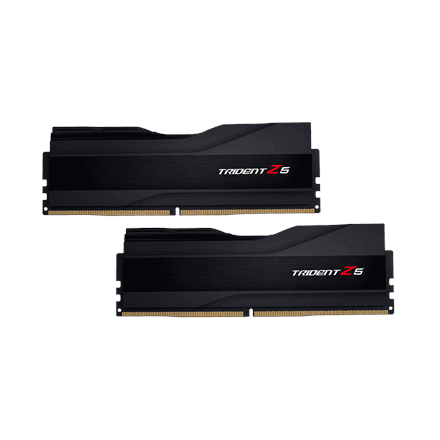
G.Skill Trident Z5 DDR5 RAM 32 GB (2 × 16 GB) 6000 MT/s CL36, XMP

The G.Skill Trident Z5 is the maker’s DDR5 flagship series, and this 6000 MT/s kit is aimed at a powerful desktop PC. Two 16 GB modules make 32 GB, with CL36-36-36-96 timings and 1.35 V, all of which are applied by switching on the Intel XMP profile.

  • Type: DDR5 desktop module, non-ECC, unbuffered
  • Capacity and kit: 32 GB, 2 × 16 GB
  • Speed: 6000 MT/s (listed by the manufacturer as 6000 MHz)
  • Timings: CL36-36-36-96
  • Voltage: 1.35 V
  • Profile: Intel XMP; 4800 MT/s at 1.10 V without the profile

Description

6000 MT/s for a processor that needs fast memory

According to G.Skill, the Trident Z5 series is designed for top performance on next-generation DDR5 platforms. 6000 MT/s is a quarter above the 4800 MT/s DDR5 base speed, which means more bandwidth in games where the processor is the bottleneck, as well as in 3D rendering, video editing and work with large data sets. The modules only fit motherboards with DDR5 slots.
CL36-36-36-96 timings at high speed

The first timing, CL36, is the CAS latency: how many clock cycles pass before the memory returns data. The higher the speed, the shorter each cycle, so the same CL36 at 6000 MT/s means a shorter real delay than on slower memory. The other three numbers describe opening and closing a row and the active time.

XMP profile and 1.35 V

The 6000 MT/s speed is tuned at the factory and stored on the modules as an Intel XMP profile. Without the profile the memory runs in SPD base mode at 4800 MT/s and 1.10 V. When the profile is enabled, the board raises the voltage to 1.35 V and sets speed and timings itself. The board and processor have to sustain this speed, so it is worth checking the motherboard list of supported memory.

A dual-channel kit for a desktop

Two identical 16 GB modules fill both memory channels of the motherboard, so the kit runs in dual-channel mode from the start. According to the manufacturer the modules are non-ECC and unregistered: memory for consumer and gaming boards, not for servers or laptops. 32 GB holds a game and your work at the same time.

Checking the speed after installation

Once the modules are in the slots the motherboard manual recommends and the computer boots, it is worth checking straight away that the profile works. The Performance tab of Windows Task Manager shows memory capacity and speed: after enabling XMP it should read 32 GB and 6000 MT/s. A DDR5 board trains the memory on first boot and after settings changes, so the picture may take longer than usual to appear.

Who this RAM is for

Gaming PC builders who want fast DDR5 next to a strong processor; Intel platform users for whom the XMP profile makes switching on the rated speed easy; and video editors and 3D artists whose workflow depends on memory bandwidth. It also suits enthusiasts who want a factory-tuned speed without hunting for voltage and timings themselves.

Specifications

General

BrandG.Skill
Component forPC/server
ECCNo
Intel Extreme Memory Profile (XMP)Yes
RegisteredNo
EAN4713294230706

Memory

Internal memory typeDDR5
Memory clock speed6000 MHz
CAS latencyCL36-36-36-96
Memory layout (modules x size)2x16 GB

Storage

Capacity32 GB

Battery & power

Memory voltage1.35 V

Features

Technical featuresSPD Speed: 4800MHz; SPD Voltage: 1.10V
Other featuresTrident Z5 series DDR5 memory is the latest G.SKILL flagship memory kits designed for ultra-high extreme performance on next-gen DDR5 platforms

Dimensions & weight

Net weight0.059 kg

Questions & answers

Is this memory suitable for a server?

Not for a typical server that requires ECC or registered memory. According to the manufacturer the modules are non-ECC and unregistered, meant for desktops with consumer and gaming motherboards.

Does the memory work on an AMD motherboard?

The manufacturer lists an Intel XMP profile; an AMD EXPO profile is not in the data. In base mode at 4800 MT/s the memory runs on any DDR5 board; whether an AMD board can use the XMP profile is in the motherboard maker data.

Why does the memory run at 4800 MT/s after installation?

On first boot the memory uses SPD base mode. To get 6000 MT/s, enable the XMP profile in the motherboard BIOS.

Will it fit a DDR4 board or a laptop?

No. These are DDR5 desktop modules (PC/server): they do not go into a DDR4 slot, and laptops use shorter SO-DIMM modules or soldered memory.