Black Friday is on — deals until 30 NovemberSee the deals
Logilink

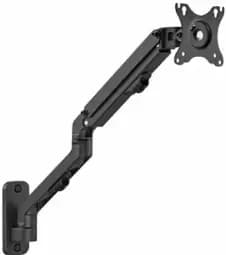
Logilink BP0144 monitor wall mount 17–32", gas spring, up to 9 kg

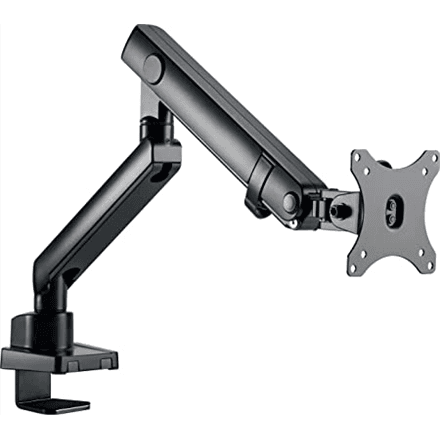
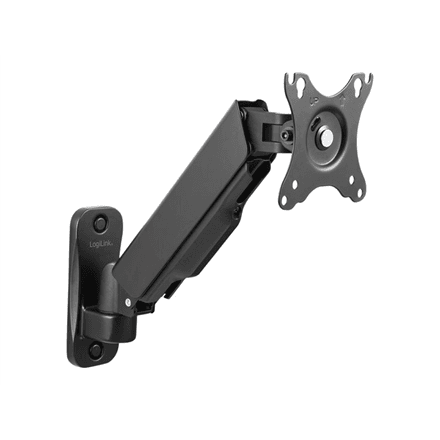
The Logilink BP0144 is a gas spring monitor wall mount for 17–32 inch screens weighing up to 9 kg. The screen can tilt, swivel and rotate, and it can be pulled out 90–380 mm from the wall.

  • Type: monitor wall mount with gas spring
  • VESA: 75 × 75, 100 × 100 mm
  • Maximum load: 9 kg
  • Screen size: 17–32″
  • Movement: tilt (−45 to 90° per manufacturer data), swivel, rotate; wall distance 90–380 mm
  • Colour: black

Description

A gas spring that holds the screen where you leave it

The gas spring carries the weight of the screen, so the monitor can be repositioned with little effort and stays in its new position. The wall distance ranges from 90 to 380 mm, and the manufacturer lists the tilt range as −45 to 90°. Swivel and rotation angles are not given in the manufacturer data.
Who this monitor mount is for

The Logilink BP0144 suits a monitor or other screen up to 32 inches and 9 kg with VESA 75 × 75 or 100 × 100 mm holes on the back. Putting the screen on the wall frees up desk space at a reception desk, in a workshop, a kitchen or a small home office.

Specifications

General

BrandLogilink
Colour of productBlack
VESA mountingYes
Distance to the wall (max)380 mm
Distance to the wall (min)90 mm
FunctionsTilt, swivel, rotate
PlacementWall mount
Tilt angle-45-90 °
VESA mounting interfaces75 x 75, 100 x 100 mm
EAN4052792063127

Display

Maximum screen size compatibility32 "
Screen size compatibility17-32 "

Performance & capacities

Maximum weight (capacity)9 kg

Features

Mounting interface compatibility (max)100 x 100 mm
Mounting interface compatibility (min)75 x 75 mm
Other featuresWith gas spring

Dimensions & weight

Net weight1.28 kg

Questions & answers

Will my monitor fit this mount?

Check the spacing of the four holes on the back of the monitor: the mount supports VESA 75 × 75 and 100 × 100 mm. The screen must be 17–32″ and weigh up to 9 kg without its stand.

How far can the screen be pulled from the wall?

According to the manufacturer, 90 to 380 mm: pushed in, the monitor sits close to the wall; pulled out, it comes closer to you.

Can the screen be turned to portrait?

Rotation is listed among the functions, which means the screen can be turned between landscape and portrait. The exact rotation angle is not given in the manufacturer data.
Reviews

No reviews yet

Bought this product? Be the first to share your experience.

Write a review

Only verified buyers can leave reviews.