QNAP

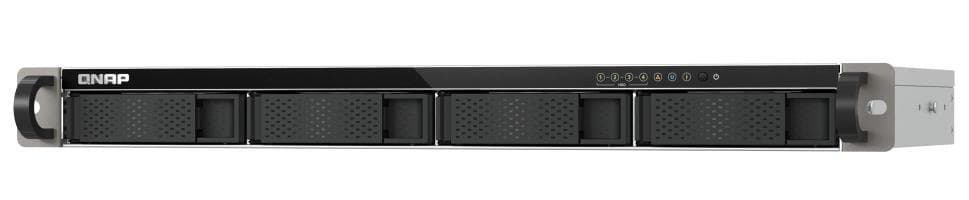
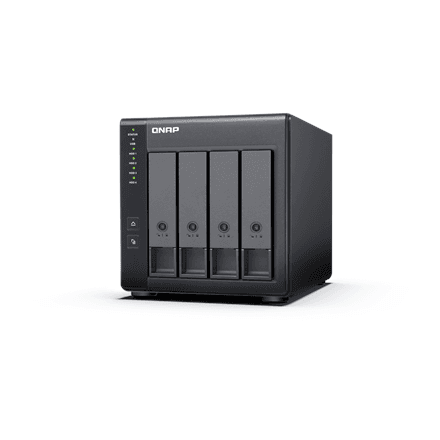
QNAP TR-004 drive enclosure, 4 bays, USB-C, hardware RAID

The QNAP TR-004 is a four-bay drive enclosure that connects to a computer over USB-C and combines up to four hard drives or SSDs into a single storage volume. Hardware RAID is handled by the enclosure's own controller, so the computer does not have to manage the array.

  • Drive bays: 4 × 3.5″, up to 4 HDD/SSD, hot-swappable
  • Connection: 1 × USB-C, USB 3.2 Gen 1
  • RAID: hardware, on a built-in microprocessor
  • Cooling: 1 × 120 mm fan, 12 V DC
  • Power: 90 W external adapter, 100–240 V
  • Form: desktop tower

Description

RAID that leaves your computer alone

Because the RAID is run by the controller built into the TR-004, the computer sees the enclosure as an ordinary USB drive. The array configuration lives in the enclosure rather than in operating system settings, so the storage can be moved to another computer when needed. Hot-swap means a drive can be pulled from its bay and replaced without switching the enclosure off, and the 120 mm fan keeps four drives in check even during long copy jobs.

Who this drive enclosure is for

Photographers and video makers whose archive no longer fits on one drive, and small offices that need large, dependable storage next to one workstation without setting up a network device. It also suits laptop owners who want several drives on the desk behind a single USB cable.

Specifications

General

BrandQNAP
Chassis typeTower
Interface1 x Type-C USB 3.2 Gen 1 (USB 3.2 Gen 1)
Number of 3.5" bays4
EAN4713213514429

Processor

Processor modelMicro processor with hardware RAID

Storage

Drive bays4
Number of storage drives supportedUp to 4 HDD/SSD Hot-Swap

Features

Other featuresFan: 1x120mm, 12VDC, Power Supply Unit: 90W Adapter, 100-240V

Dimensions & weight

Net weight3.35 kg

Questions & answers

Are drives included?

The manufacturer's data does not list drives as part of the package – it only describes four 3.5″ bays that take up to four HDDs or SSDs.

Is this a NAS?

No. The specifications list only one USB-C interface (USB 3.2 Gen 1) and no network port. The TR-004 connects directly to a computer and appears to it as an external drive.

What does hot-swap mean?

A drive can be replaced without powering the enclosure down. That is handy, for example, when a failed drive in a RAID array has to be swapped for a new one.