Black Friday is on — deals until 30 NovemberSee the deals
Pantum

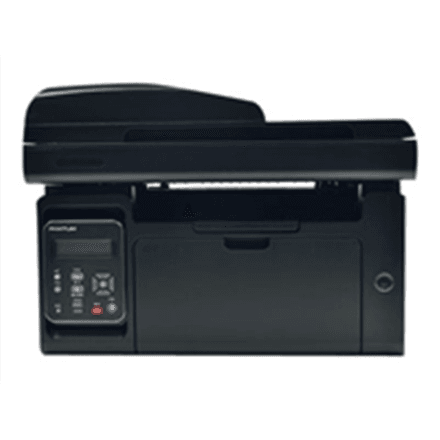
Pantum M6550NW all-in-one printer, mono laser, A4, LAN, Wi-Fi, Black

Pantum M6550NW is a mono laser all-in-one printer that prints, scans and copies. It prints and copies A4 pages at up to 22 ppm and connects to your computer over USB, Ethernet or Wi-Fi. The housing is black.

  • Technology: laser, mono printing, 1200 × 1200 dpi resolution
  • Functions: print, mono scan and copy, no fax
  • Speed: printing up to 22 ppm, copying up to 22 cpm
  • Format: up to A4, no automatic duplex
  • Connectivity: USB 2.0, Ethernet, Wi-Fi (802.11n)
  • Paper handling: 150-sheet input, 100-sheet output tray

Description

Printer, scanner and copier in one device

It prints on plain, thin and thick paper, cardstock, transparencies, labels and envelopes. Copying runs as fast as printing, at up to 22 pages per minute. Every operation, scanning included, is in black and white. The device weighs 8.9 kg.
Who this all-in-one printer is for

Small offices and home offices that work mainly with text documents: printing invoices and contracts, making copies and scanning signed pages for the archive. Ethernet and Wi-Fi let several computers share the device. If you need colour scanning or automatic duplex, look at other models.

Specifications

General

BrandPantum
Product typeLaser Multifunction Printer
Colour of productBlack
CopyingMono
Duplex functionsNo
DVD/CD printingNo
FaxingNo
InterfaceUSB 2.0, LAN, Wi-Fi(n)
Maximum print sizeA4
Media typeTransparencies, envelopes, plain paper, labels, thin paper, thick paper, card stock
PrintingMono
ScanningMono
EAN6936358000383

Display

Maximum resolution1200 x 1200 DPI

Storage

Standard input capacity150 sheets
Standard output capacity100 sheets

Ports

Ethernet LANYes

Connectivity

Wi-FiYes

Performance & capacities

Copy speed (normal quality, black, A4)22 cpm
Print speed (ISO/IEC 24734) mono22 ipm

Features

Print technologyLaser

Dimensions & weight

Net weight8.901 kg

Questions & answers

Does it scan in colour?

No. On this model scanning and copying are mono, just like printing.

Does it print on both sides?

This model has no automatic two-sided printing.

How do I connect it to the network?

You can connect it to the local network with an Ethernet cable or wirelessly over Wi-Fi, and to a single computer with a USB 2.0 cable.

Reviews

No reviews yet

Bought this product? Be the first to share your experience.

Write a review

Only verified buyers can leave reviews.